How To Change Language
TimeZero follows the Windows regional settings configured on your computer. To change the language displayed in TimeZero, you must update the Windows Region settings.
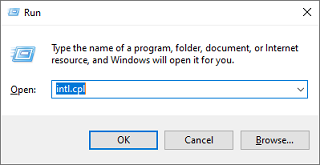
TimeZero reads the classic Windows regional settings panel. The easiest way to access it is by using the Run command. Press the Windows key + R to open the Run dialog. Type intl.cpl and press Enter:
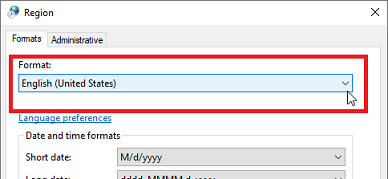
The Region control panel will open. In the Formats tab, select the desired language:
Click Apply, then OK.
Close and restart TimeZero for the change to take effect.